Duplicate customer profiles split visit history, spend, and tags across records. Merge rolls everything into one profile so your CRM stays accurate.
Open the sidebar and click Customers.
Automatic merging
TablelistPro runs a duplicate check whenever a customer profile is created. If the new profile shares the same phone and/or email as an existing one, those profiles are merged automatically — no extra steps from your team.
You'll still use manual merge when duplicates slip through (for example, different contact details on each profile).
Why you might have duplicates
The same guest can end up as more than one profile when contact info does not line up exactly:
- Different email or phone — A typo, work vs personal email, or a missing phone on one profile while another has only email.
- Manual adds — Staff create a new customer instead of opening the existing one.
- Bookings and walk-ins — Reservations, tickets, and guest-list check-ins can each create or update profiles with slightly different details.
- Imports or integrations — Legacy data or external systems loaded before your team standardized how guests are entered.
Search by name, phone, or email to find likely duplicates before you merge.
Merge customer profiles
You need at least two profiles selected. Merging is organization-wide — pick the profile you want to keep and choose which field values survive.
- On Customers, use Search to find the guest (name, email, or phone).
- Check the box on each profile you want to combine (two or more).
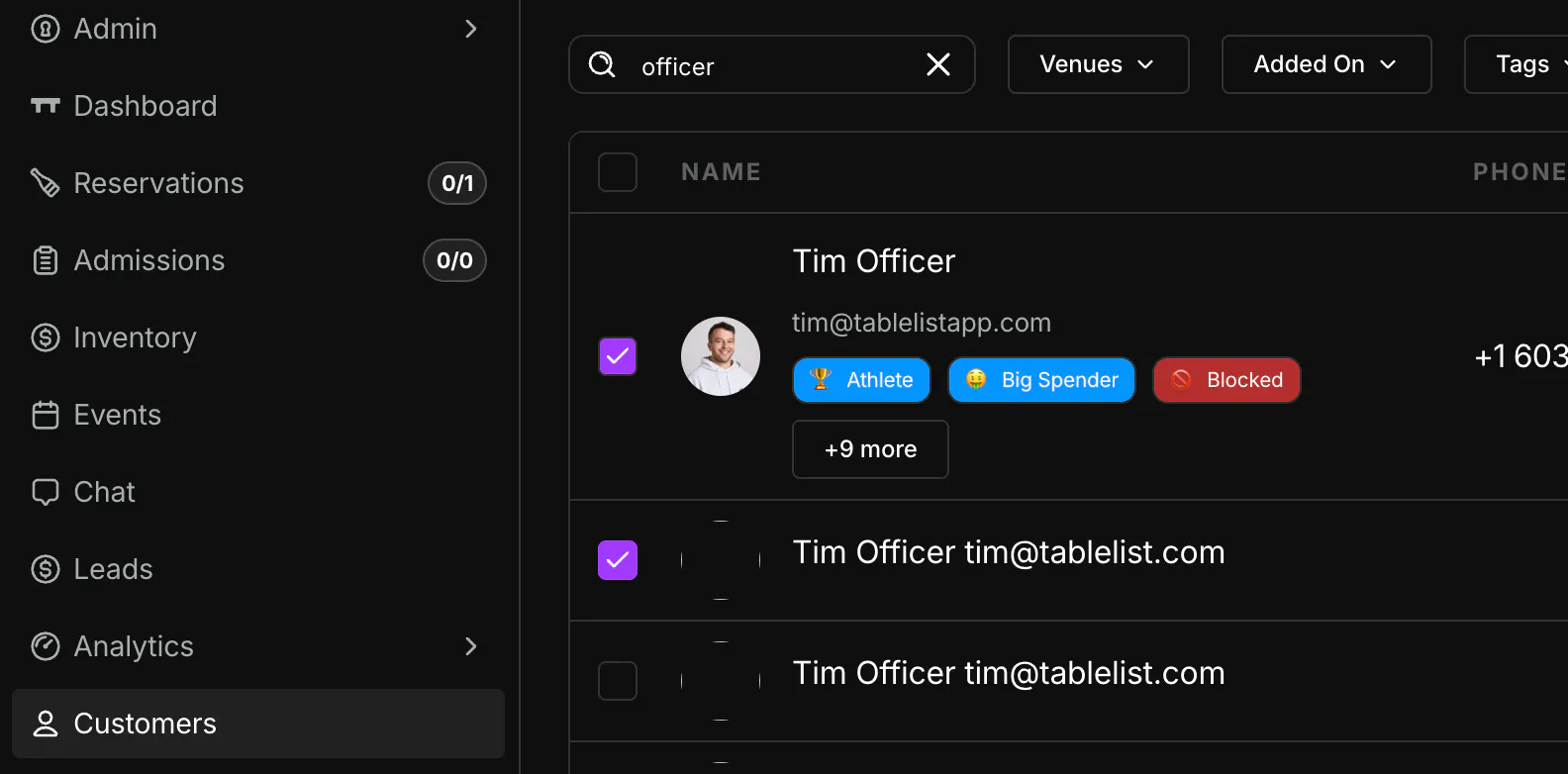
- Open the header ⋯ menu → Merge.

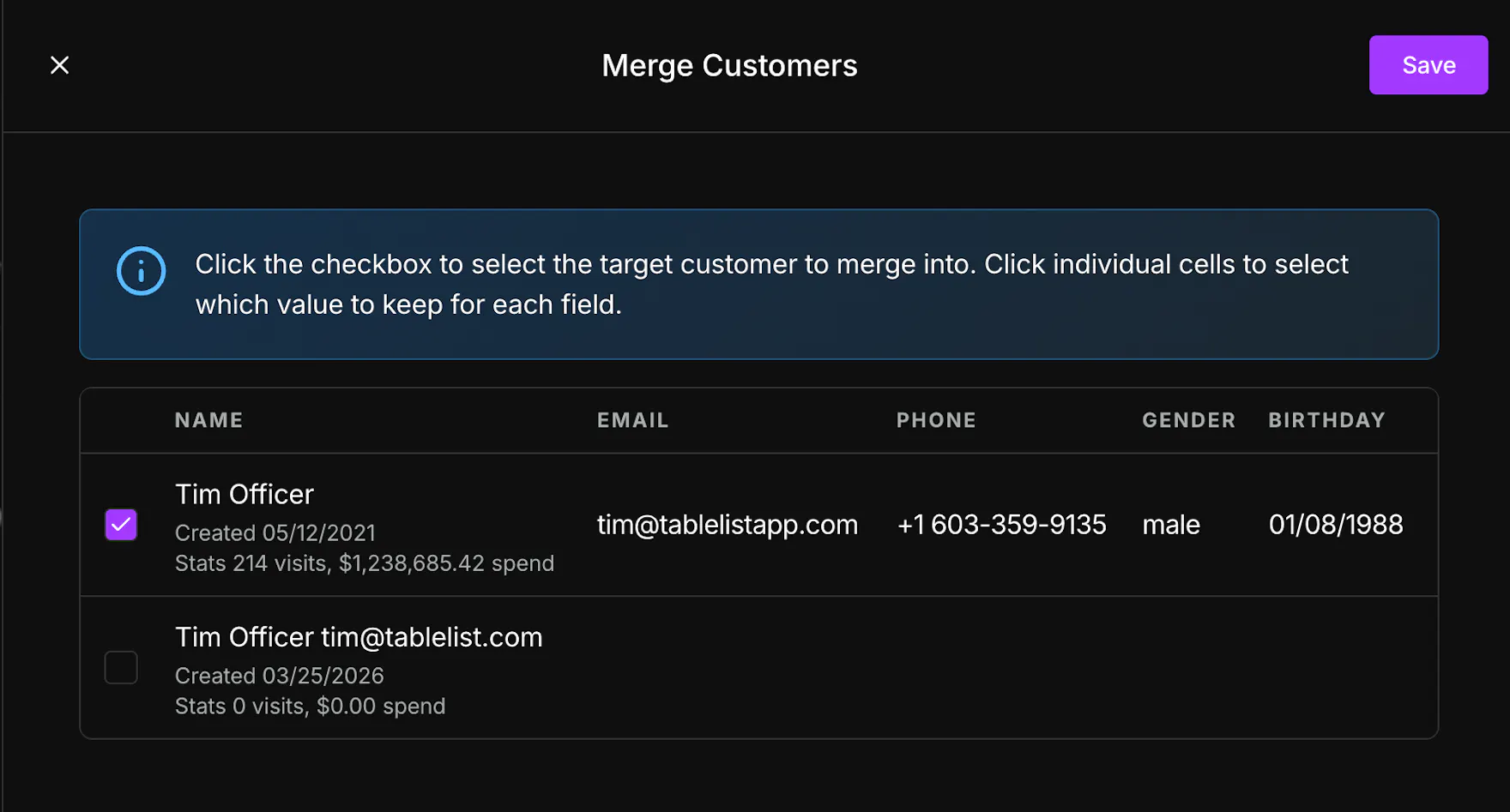
- In Merge Customers, use the row checkbox to pick the target profile (the one you are keeping). Compare visits and spend under each name — keep the record with the history you trust.
- Click individual cells (Name, Email, Phone, Gender, Birthday) to choose which value to keep when profiles disagree.
- Click Save. You'll see a success toast and the list refreshes; duplicate profiles are removed.
What rolls up
- Reservations, tickets, and guest-list visits move to the target profile.
- Manual receipts from merged profiles are combined.
- Lifetime visits and spend recalculate on the surviving profile.
Tips
- Prefer the profile with the most visits and spend as your target, then override individual fields only when the newer record has better contact info.
- If fewer than two rows are checked, the merge panel reminds you to select more customers first.
Related articles
- Customers — list, filters, and profile overview
- Tagging customers in CRM
- Adding manual receipts