Choose how TablelistPro notifies you about bookings, payments, and Customer Chat so you never miss what matters.
Web
- Open the account menu from the sidebar (your profile row or the ⋯ button).
- Click your name to open Account.
- In the Account sidebar, click Notifications.
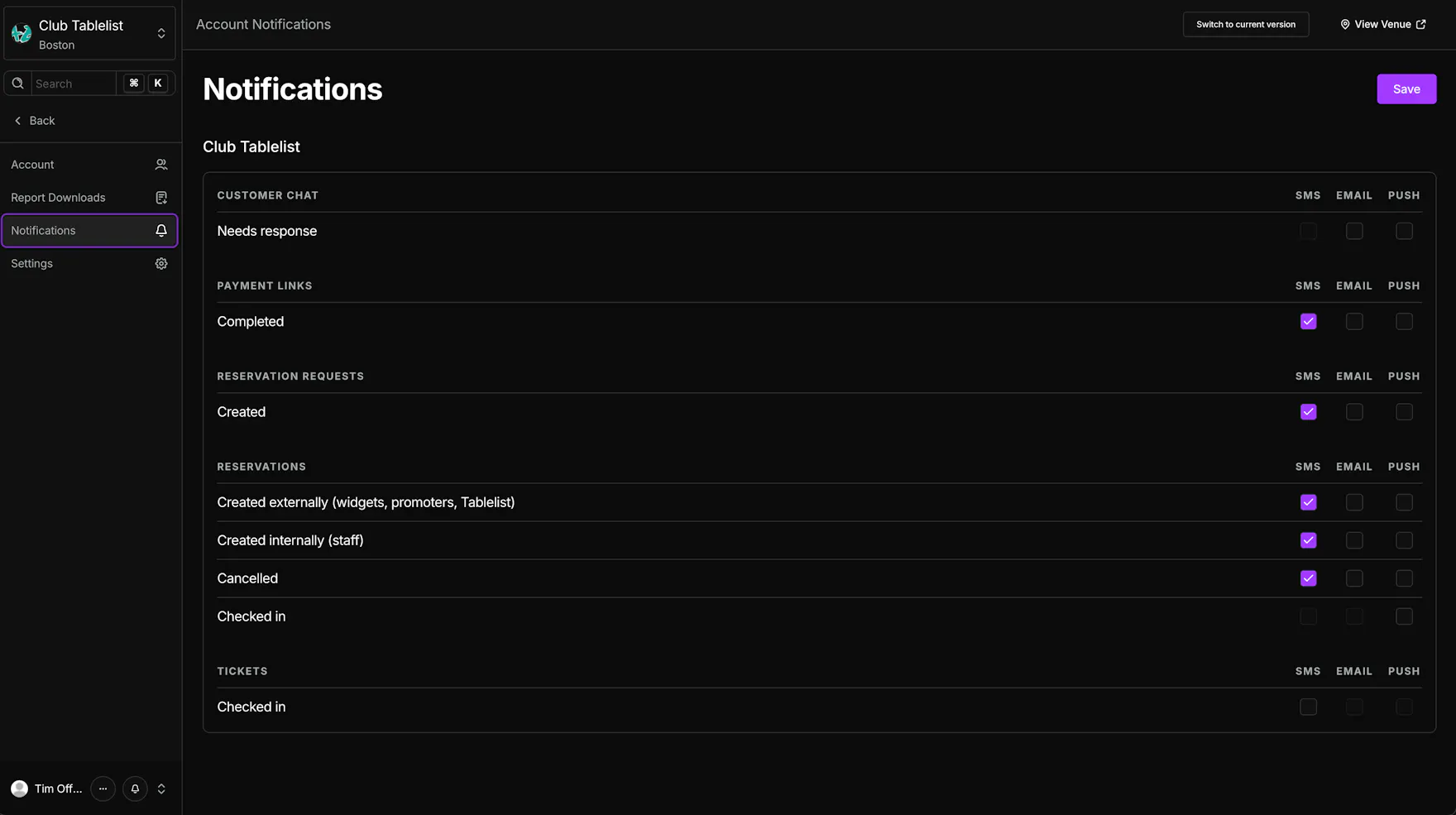
- For each venue, check SMS, Email, and/or Push for the alerts you want.
- Click Save.
Mobile
- Open the sidebar and tap Settings.
- Tap Notifications.
- For each venue, tap SMS, Email, and/or Push for the alerts you want.
- Tap Save.
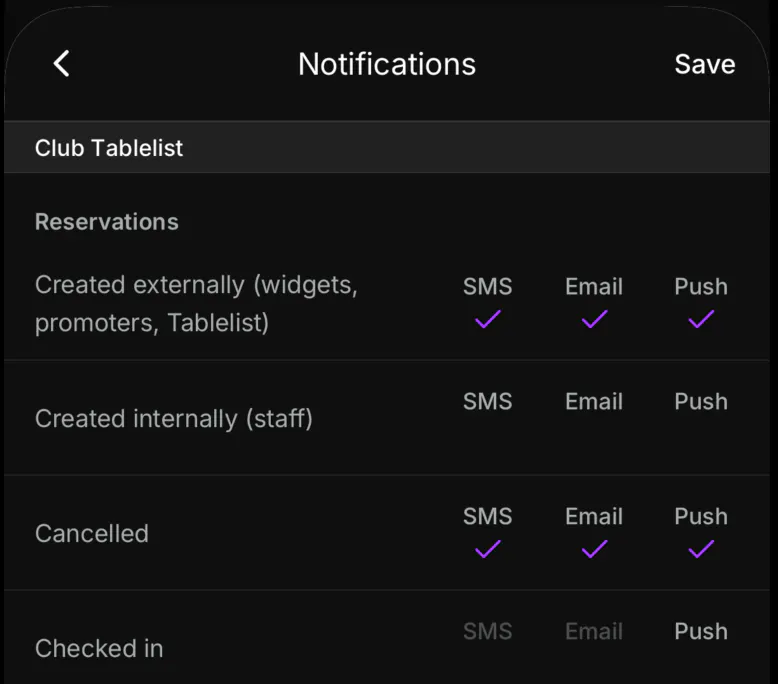
If push is off for TablelistPro on your phone, tap Turn on notifications, or enable notifications for TablelistPro in your device settings.
Notification categories include:
- Customer Chat -- Needs response
- Payment Links -- Completed
- Reservation Requests -- Created
- Reservations -- Created externally (widgets, promoters, Tablelist), Created internally (staff), Cancelled, Checked in
- Tickets -- Checked in
Some rows do not support all channels, so certain checkboxes stay disabled.
This page controls your personal notification preferences. For reservation, request, ticket, and payment link alerts, see Getting Notifications for Bookings. To configure a staff member's notifications, see Choosing Staff Member Notifications.
Related guides: