Add a guest list or ticket so the door knows who's coming.
Web
Open the sidebar and click Admissions. Pick the date. Filter with Status, Substatus, Event, or Inventory, or click Columns to change the table.
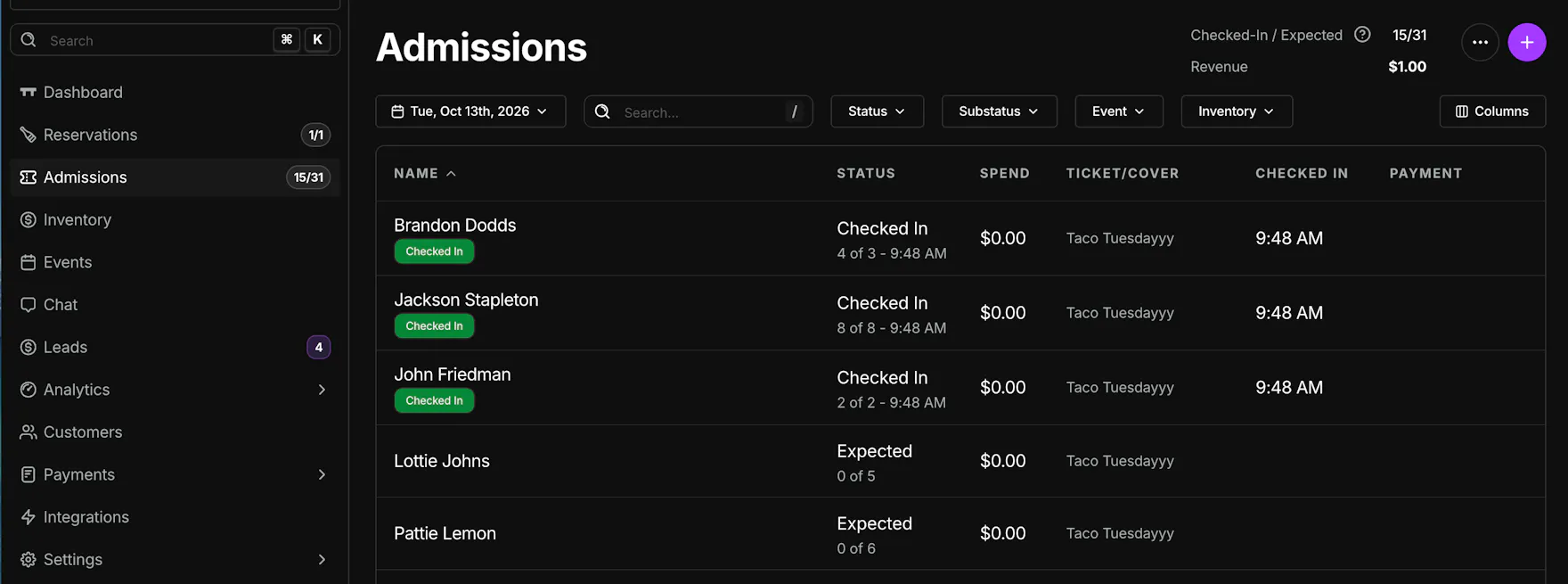
Each row shows the guest, status, spend, ticket or cover, check-in time, and payment. Checked-In / Expected and Revenue sit at the top.
Click the purple +. The form is titled New Admission, and the tab is Guest List.
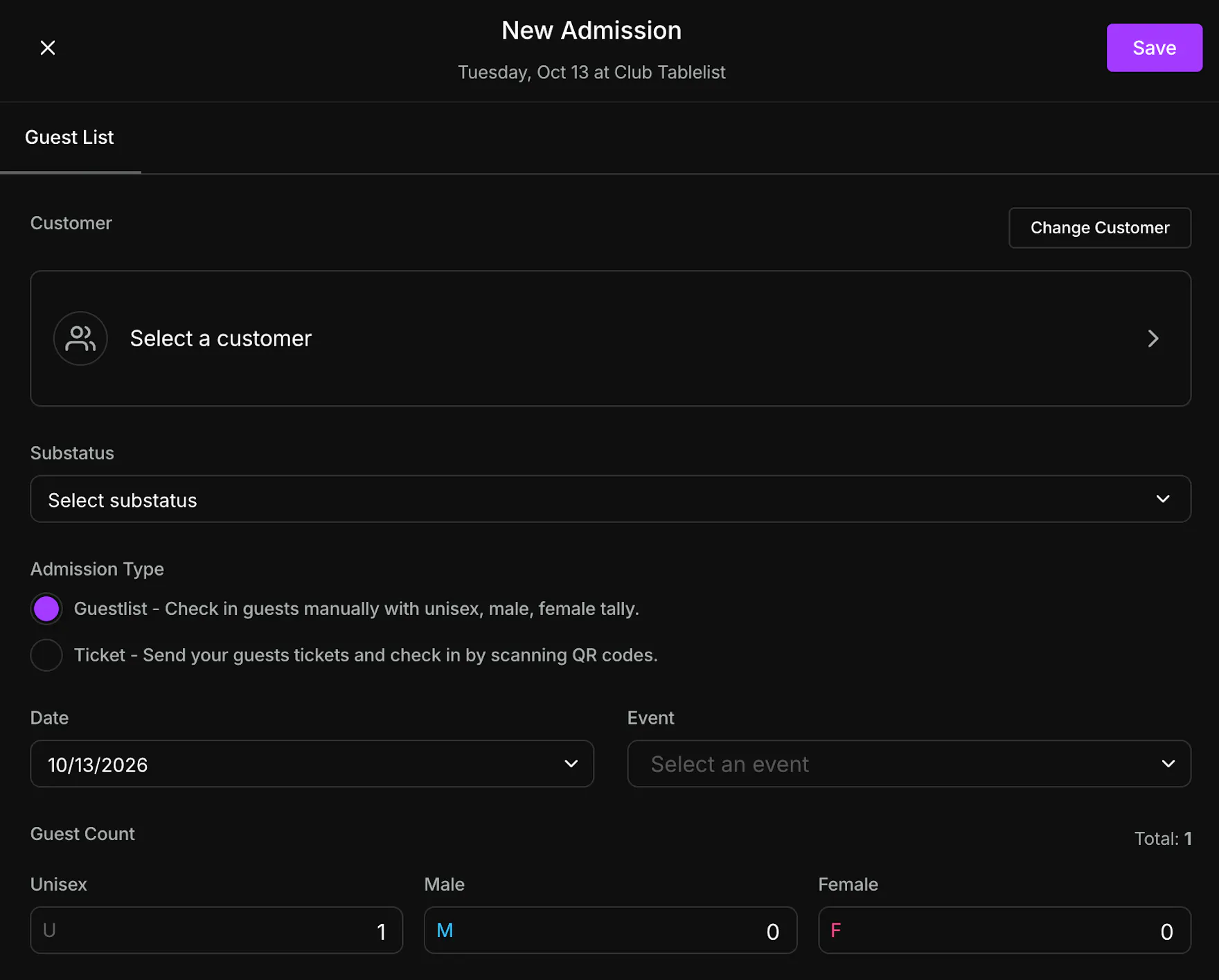
Choose a customer, or click Change Customer to pick someone else. Set Substatus, Date, Event, and Guest Count (Unisex, Male, and Female). Total updates as you type.
Admission Type has two options:
- Guestlist checks guests in manually with unisex, male, and female counts.
- Ticket sends tickets and checks guests in by scanning QR codes.
Set Booked By and, for a guest list, a Cover. Turn on Comp if the entry is free, and add Notes. Leave the confirmation email on to email the guest. Click Save.
Mobile
Open the Admissions tab and stay on List.
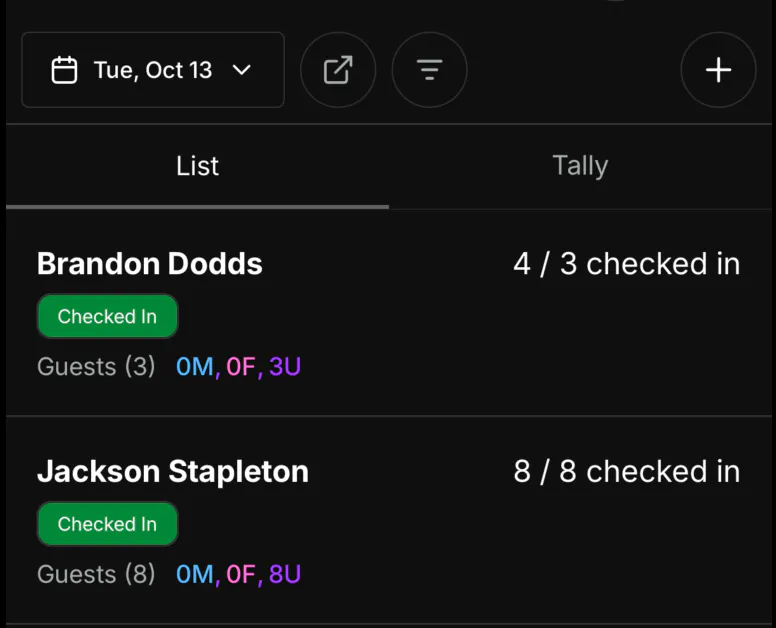
Each row shows the guest, a status badge, how many are checked in, and the guest counts.
Tap + to add a ticket. Pick the customer, guest count, event, Booked By, and Ticket Cover, then tap Save.
To add several guest lists at once, see Bulk Uploading Guest Lists.
Tally is for walk-up covers with no name.
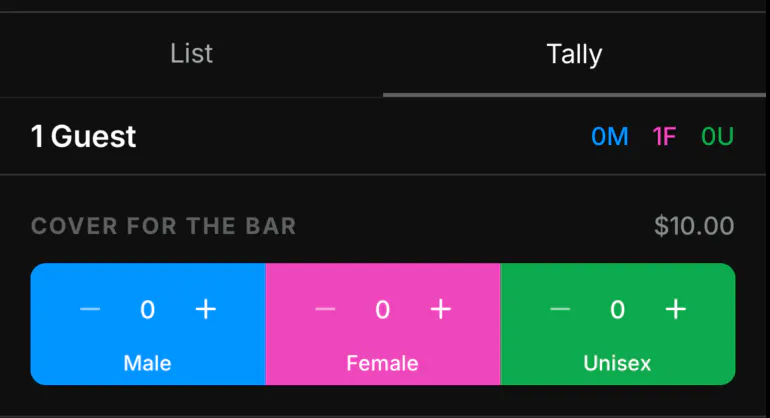
Each cover shows its price. Count Male, Female, and Unisex, set Attribution (it starts as Walk Up), then tap Save. The total at the top is everyone already saved.