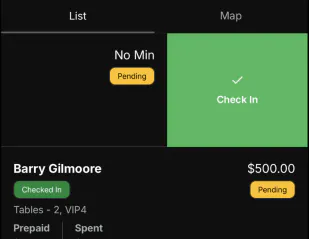
Check guests in when they arrive. You can do it from the reservation, or by swiping the list.
Web
Open the sidebar, click Reservations, and open the reservation.
Click Check In. Set Unisex, Males, and Females, then click Check In. The button shows how many guests you're checking in.
A checked-in reservation shows Checked In with the count. A table also shows Close Out.
Mobile
Open the Reservations tab and open the reservation. Tap Check In.
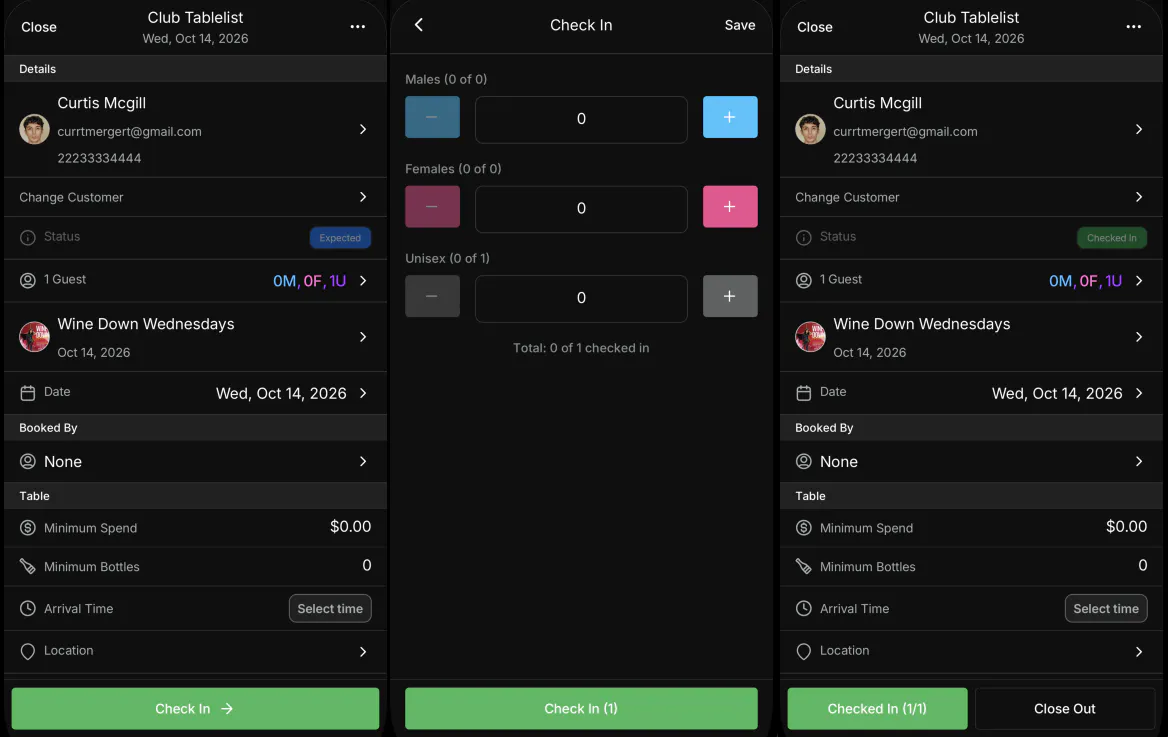
Set Males, Females, and Unisex. The total shows how many of the party are checked in. Tap Check In, or Save.
The status changes to Checked In. The button shows the count, such as Checked In (1/1), next to Close Out.
On List, a checked-in reservation has a Checked In badge. On Map, the guest's initials sit on their table.
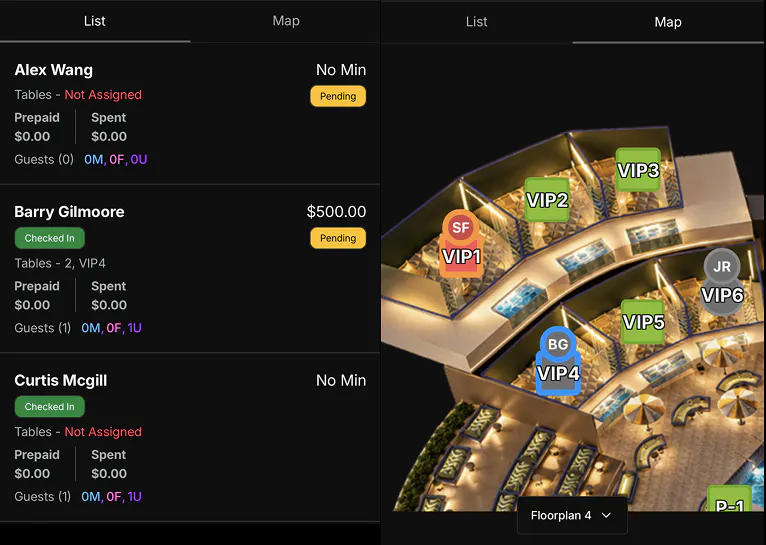
Swipe the reservation on List or Map to reveal Check In.