Bulk upload guests when your list is already prepared and you need fast admissions setup.
Web
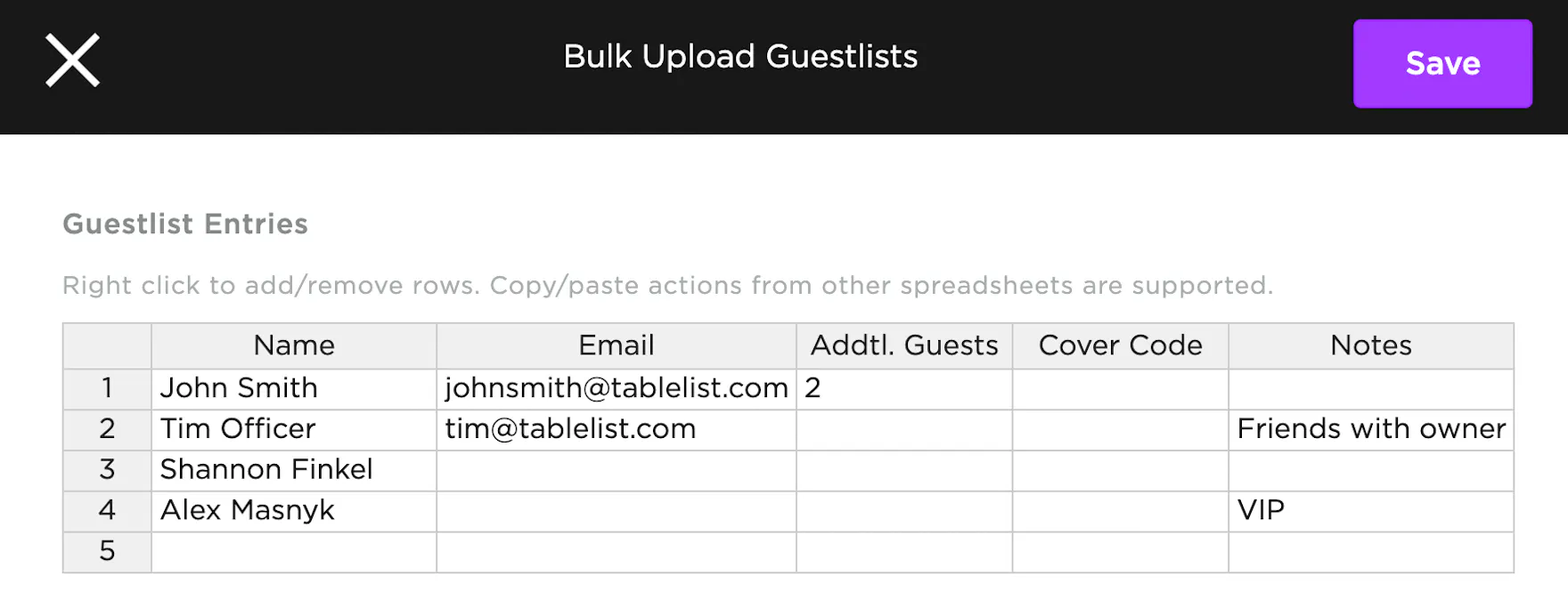
Prepare your list in this format:
Name | Email | Addtl. Guests | Cover Code | Notes
- Open Admissions
- Select the date
- Click the three purple dots
- Click Bulk Upload Guest Lists
- Paste your list
- Click Save
Notes:
- Name is required
- Addtl. Guests is the number of extra people in the party
- Attribution defaults to the logged-in user
- Bulk-added guests do not receive a QR code email
Mobile
Open the Admissions tab, tap +, then tap Bulk add guests.
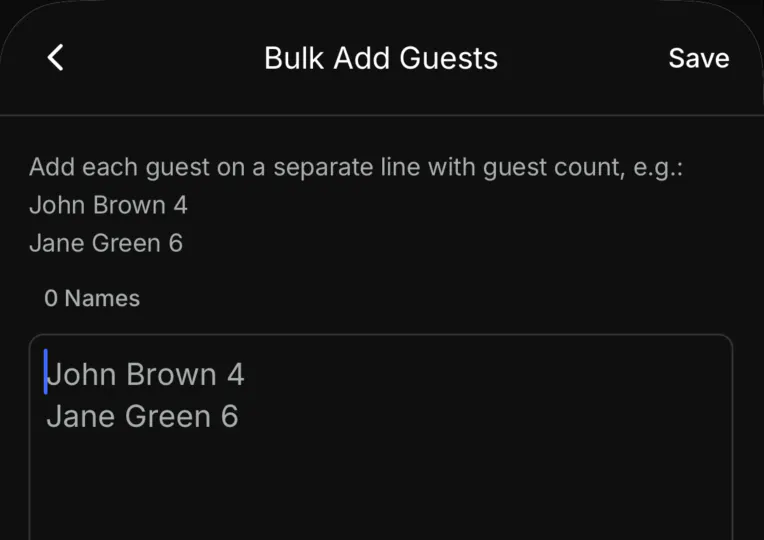
Put each guest on their own line, name then count, like John Brown 4. The screen shows how many names you entered. Tap Save.
The number is the whole party. John Brown 4 checks in 4 guests. A name with no number is that guest only.
Attribution defaults to the logged-in user.