Cancel a reservation from its menu. You can email the guest and refund the payment when you do.
Refunds are available for 48 hours after the reservation date. After that, contact [email protected].
Web
Open the sidebar, click Reservations, and open the reservation.
Click ⋯ next to Save, then Cancel.
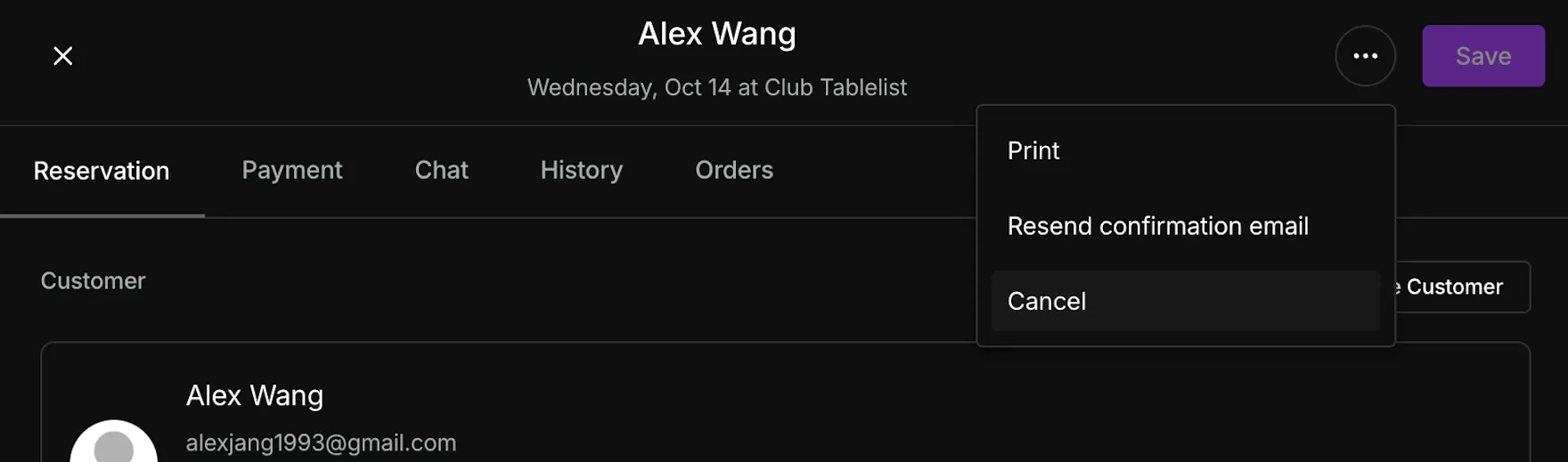
The form is titled Cancel Reservation. Pick a Cancellation Reason.
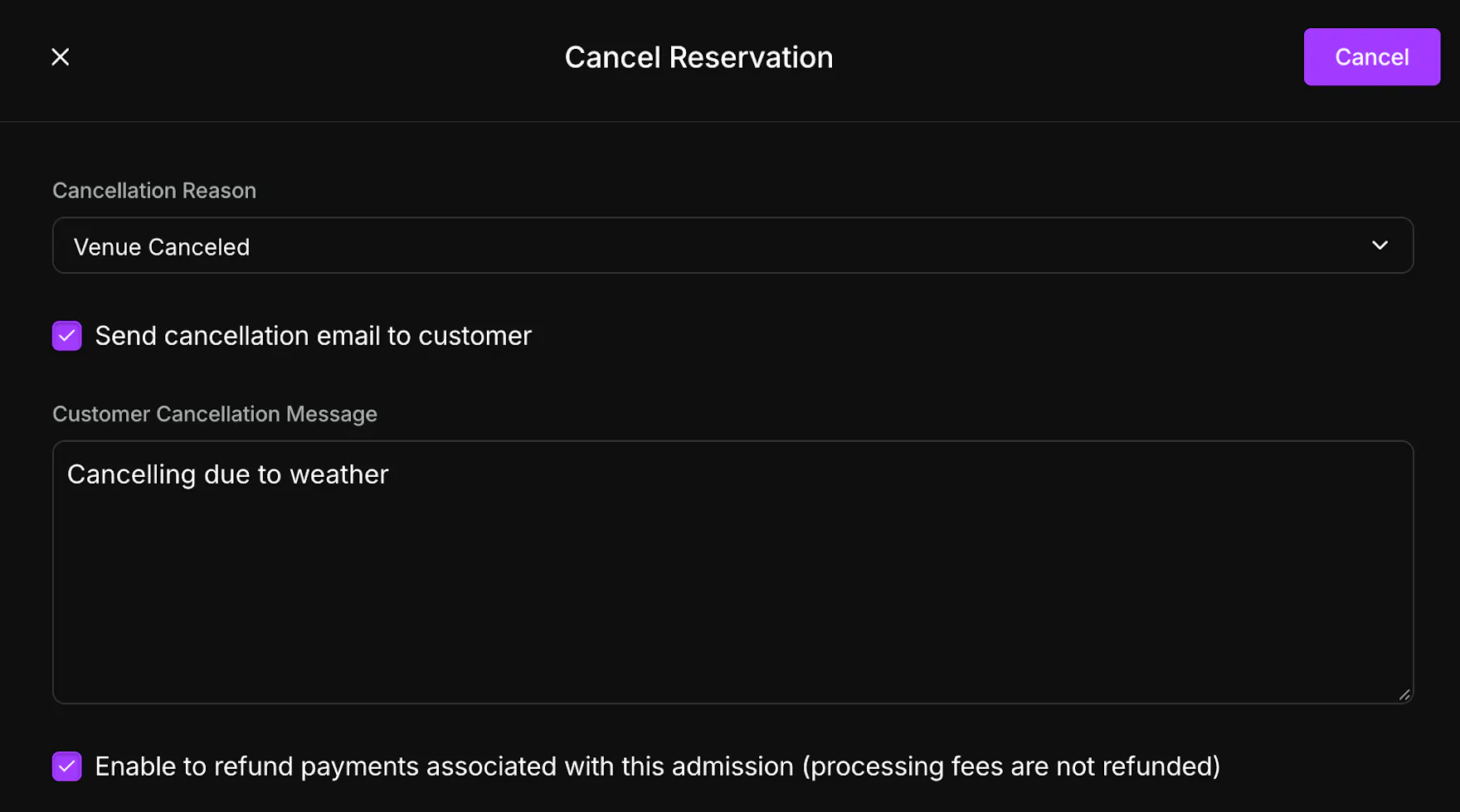
Turn on Send cancellation email to customer to write a Customer Cancellation Message. Turn on Enable to refund payments associated with this admission to refund the payment. Processing fees are not refunded. Click Cancel.
After 48 hours, the refund checkbox is replaced with a note to contact [email protected].
Mobile
Open the Reservations tab and open the reservation.
Tap ⋯, then Cancel Reservation.
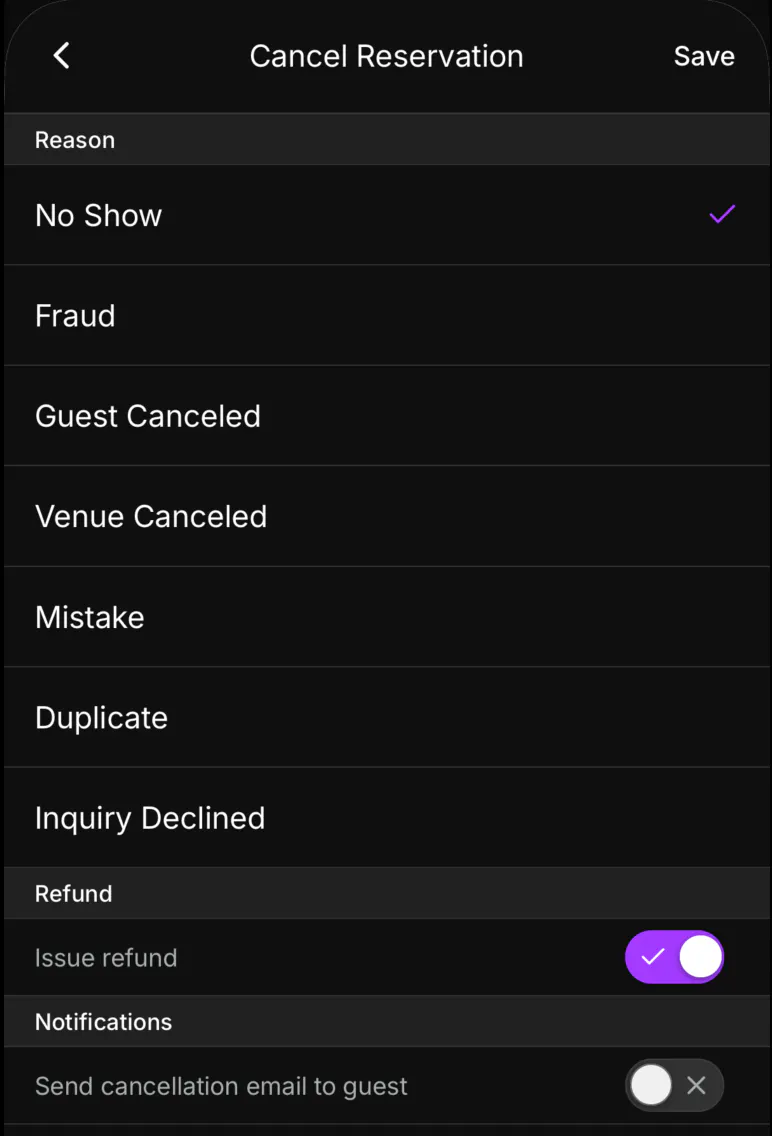
Tap a Reason. The checkmark is the one you'll save. Issue refund starts on. Turn it off to cancel without a refund. Turn on Send cancellation email to guest to add a message. Tap Save.
If the booking is more than 48 hours old and Issue refund is still on, Save tells you the refund window has passed. Turn the refund off to cancel anyway.