Add VIP tables so guests can book a table online.
Web
Open the sidebar and click Inventory. Stay on Table.
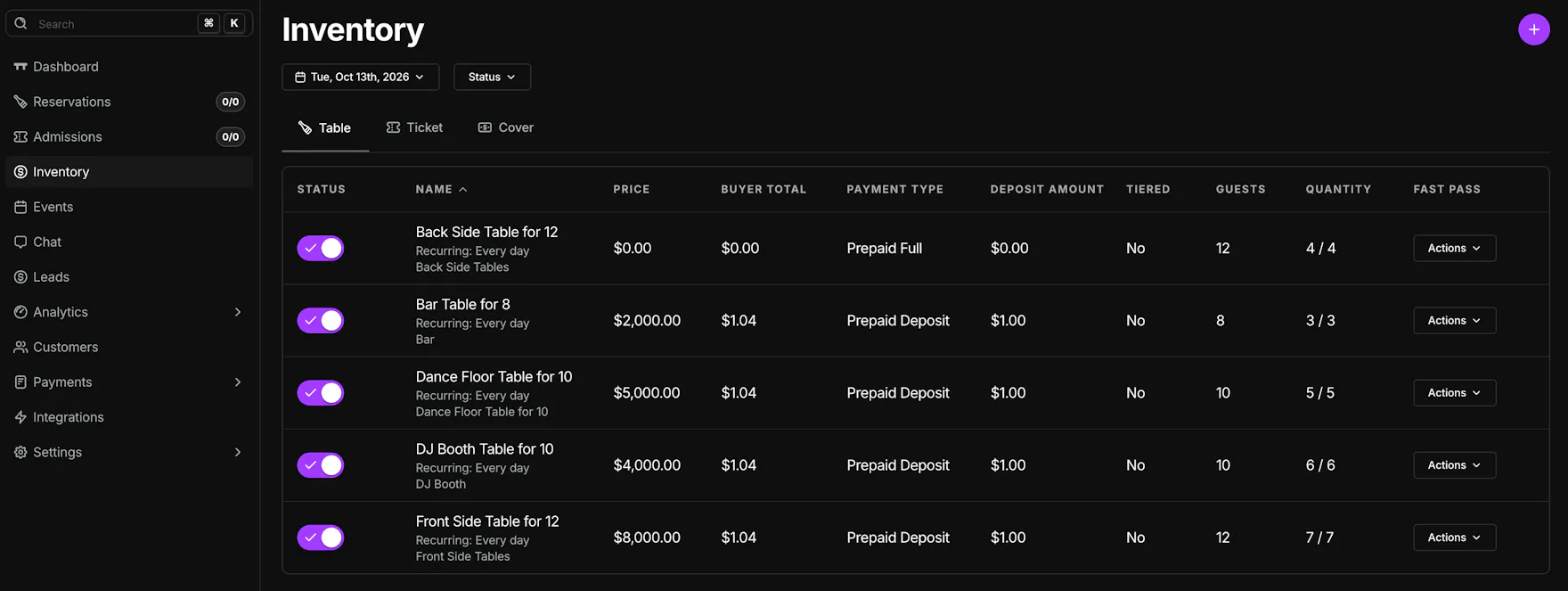
Pick the date at the top. Use Status to show All, On sale, or Off sale.
Each row shows the table name, whether it repeats, the floor-plan section, price, buyer total, payment type, deposit, guests, and quantity. The status toggle turns a table on or off sale. Actions is on the right.
Click the purple + to add a table. The form is titled Add Package.
Under Details, set:
- Name
- Status — On Sale or Off
- Guest Capacity
- Frequency — Once, or Weekly and check the days. Until is optional.
- Arrival Start and Arrival End
- Start Selling and Stop Selling
- Description — beverage minimums, taxes and fees, cancellation and no-show policy, and age limits
On Pricing, set:
- Price
- Payment Type — Prepaid Full, Prepaid Deposit (then Deposit Amount), Authorization, or No payment
- Tax and Service Charge
- Section, then Sync quantity by section if the quantity should follow the floor plan
- Quantity
- Fees
- Processing Fee — Pass to customer or Absorb it
Turn on Tiered pricing if the minimum changes by guest range.
On Advanced, set Max per customer and Terms & Conditions. Turn on Internal if the table should only be sold through a direct link.
Click Save.
Mobile
Open the Inventory tab and stay on Tables.
Tap +. The form is titled Add Table.
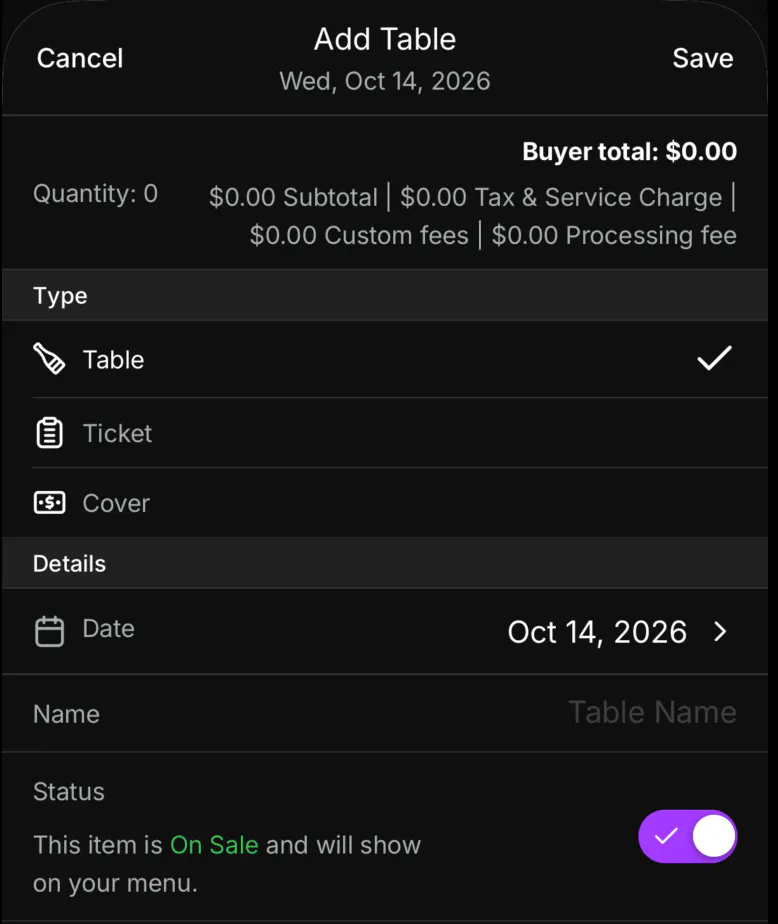
Buyer total updates at the top as you set the price.
Under Type, leave Table selected.
Under Details, set:
- Date
- Name
- Status — On Sale shows the table on your menu. Off hides it.
- Description
- Guest Capacity
- Arrival Start and Arrival End
- Start Selling and Stop Selling
- Section, then Sync quantity by section if the quantity should follow the floor plan
- Quantity
- Frequency — Once, or Weekly and pick the Days. Until is optional.
Under Pricing, set:
- Price
- Payment Type — Prepaid Full, Prepaid Deposit (then Deposit Amount), Authorization, or No payment
- Tax and Service Charge
- Fees
- Processing Fee — Pass to customer or Absorb it
Under More, set Max per customer and Terms and Conditions. Turn on Internal if the table should only be sold through a direct link.
Tap Save.