Add tickets so guests can buy admission online.
Web
Open the sidebar and click Inventory. Click Ticket.
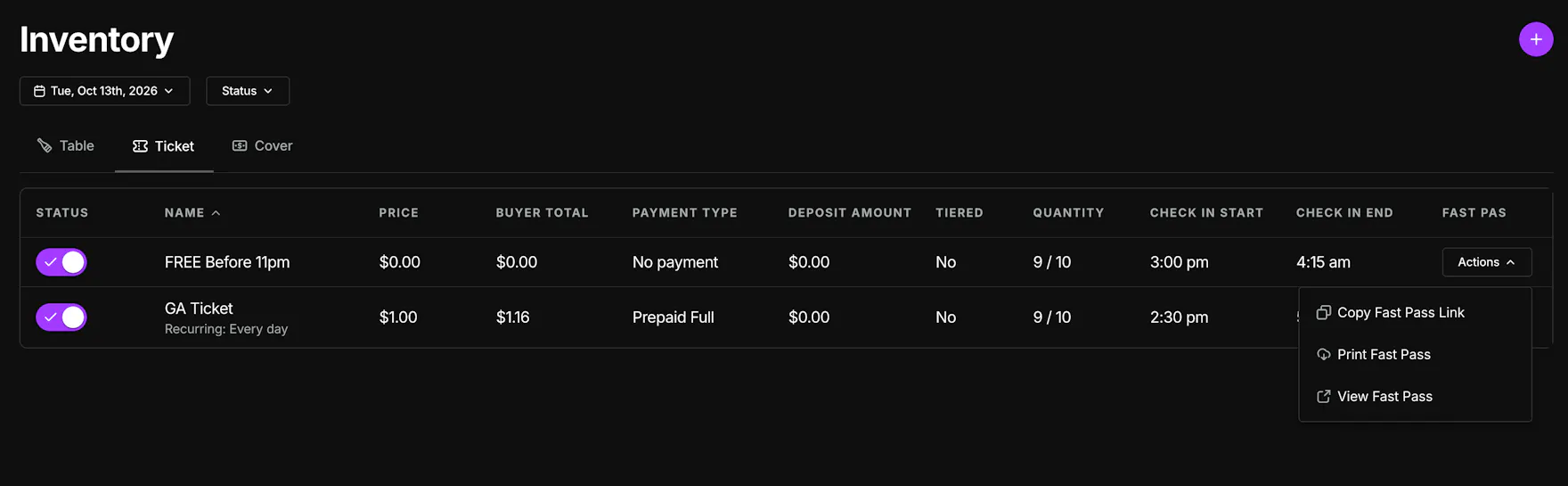
Pick the date at the top. Use Status to show All, On sale, or Off sale.
Each row shows the ticket name, whether it repeats, price, buyer total, payment type, deposit, whether pricing is tiered, quantity, and check-in times. The status toggle turns a ticket on or off sale. Actions includes Copy Fast Pass Link, Print Fast Pass, and View Fast Pass.
Click the purple + to add a ticket. The form is titled Add Ticket.
Under Details, set:
- Name
- Status — On Sale or Off
- Frequency — Once, or Weekly and check the days. Until is optional.
- Check In Start and Check In End — the scanner only checks tickets in between these times
- Start Selling and Stop Selling
- Description
On Pricing, set:
- Price
- Payment Type — Prepaid Full, Prepaid Deposit (then Deposit Amount), Authorization, or No payment
- Tax and Service Charge
- Quantity
- Fees
- Processing Fee — Pass to customer or Absorb it
Turn on Tiered pricing if the price should rise as tickets sell. Each tier has its own price and quantity. When a tier sells out, the next one goes on sale.
On Advanced, set Max per customer and Terms & Conditions. Turn on Internal if the ticket should only be sold through a direct link.
Click Save.
Mobile
Open the Inventory tab and stay on Tickets.
Tap +. The form is titled Add Ticket.
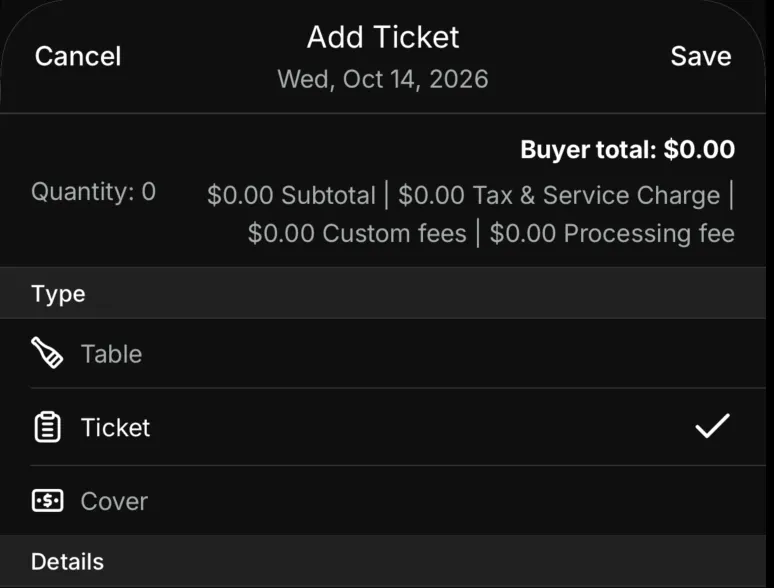
Buyer total updates at the top as you set the price.
Under Type, leave Ticket selected.
Under Details, set:
- Date
- Name
- Status — On Sale shows the ticket on your menu. Off hides it.
- Description
- Start Selling and Stop Selling
- Check In Start and Check In End — the scanner only checks tickets in between these times
- Quantity
- Frequency — Once, or Weekly and pick the Days. Until is optional.
Under Pricing, set:
- Price
- Payment Type — Prepaid Full, Prepaid Deposit (then Deposit Amount), Authorization, or No payment
- Tax and Service Charge
- Fees
- Processing Fee — Pass to customer or Absorb it
Turn on Tiered pricing if the price should rise as tickets sell. Tap Tiers to set a price and quantity for each tier.
Under More, set Max per customer and Terms and Conditions. Turn on Internal if the ticket should only be sold through a direct link.
Tap Save.